
Sports Highlight Maker
Turn authorized 16:9 basketball, soccer, football, and esports match footage into 9:16 vertical game highlights with scoreboard-safe captions. Built for coaches, athletes, and sports clipping workflows.
THE 9:16 VERTICAL LOOK
One long video in, ranked 9:16 shorts with active subject tracking and word-by-word captions out.
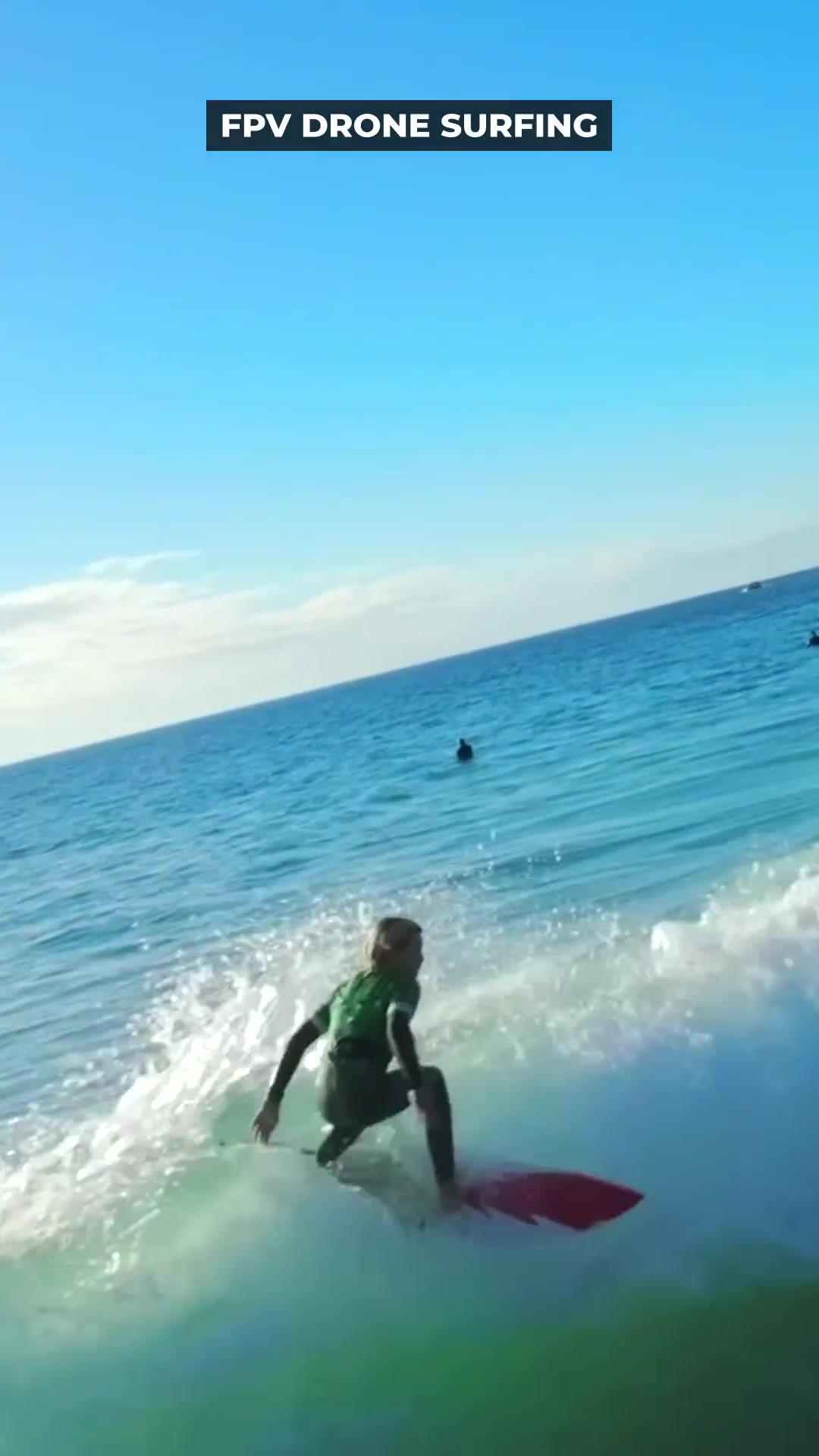
Two Full Golden-Hour Waves Tracked by FPV Drone
“Pure visual highlight reel tracking two complete ocean wave rides with zero speech required, paired with a crisp top hook banner and broadcast-leveled surf rock audio.”
How to Convert 16:9 Match Film to 9:16 Without Losing the Scoreboard
Standard center-cropping cuts off sideline action and collides with broadcast scoreboards. Our sports highlight maker combines smoothed active-subject framing with lower-third caption safe zones so top score bugs and mobile UI controls stay unobstructed.
| Framing Mode | Best Footage Type | Scoreboard & Caption Safety |
|---|---|---|
| Active Subject 9:16 Tracking (Automated) | Basketball drives, sideline interviews, coach mic-ups, esports player cams | Smooth horizontal crop centers the action; dynamic captions stay pinned in the lower safe third away from top score overlays. |
| Center-Safe Wide Action Crop | Soccer counter-attacks, penalty kicks, football red-zone snaps | Dampened pan motion avoids dizzying camera whip across wide turf while keeping top-center score bugs visible. |
| Raw Coaching Film Mode (No Commentary) | High school, amateur, and club game film recorded from bleachers or tripods | Uses crowd/whistle audio spikes and fixed highlight pacing without requiring announcer transcripts. |
How AI Detects Game Highlights in Match Footage
Whether your sports clipping source has live play-by-play commentary or only gym crowd audio, our pipeline uses four concrete signals to isolate decisive plays instead of random timestamps.
Crowd & Whistle Audio Spikes
Sudden decibel surges after buzzer beaters, goals, blocks, and touchdowns pinpoint peak play windows automatically.
Play-by-Play Commentary Energy
When commentary or team voice comms exist, word-level transcription flags clutch callouts, final-minute tension, and scoring calls.
Complete Play Boundaries
Clips target 30 to 60 second windows so viewers see the setup, decisive moment, and celebration rather than abrupt mid-play cuts.
Silent / Raw Film Fallback
For tripod coaching recordings with zero commentary, deterministic highlight windowing still outputs clean 9:16 reels.
Sport-by-Sport Vertical Highlight Presets
Pick your sport preset directly inside the workspace to match pacing, caption weight, and 9:16 reframing to your game film.
Basketball
Fourth-quarter step-back three, chase-down transition block, coach timeout huddle
9:16 smooth ball-handler tracking + 210px bottom safe-zone captions
Soccer
Midfield counter-attack through ball, top-corner finish, penalty save
Stabilized horizontal crop tuned for wide pitch cameras
Football
Fourth-down sideline catch, red-zone rush, post-game locker room speech
1080p watermark-free MP4 ideal for athlete recruiting reels
Esports
Match-point clutch defuse, teamfight comms, tournament MVP callout
Bold word-highlighted captions synced to fast team voice chat
Authorized Sports Footage and Copyright Compliance
ClippingTool is built strictly for footage you own or have legal permission to edit. Every upload is automatically deleted from Cloudflare R2 after 24 hours, and we never assist with unauthorized broadcast recording or DRM circumvention.
Team & School Game Film
Coaches and team media managers turning full 16:9 varsity, college, or club recordings into social highlights and player recruiting reels.
Amateur & Local Leagues
Weekend basketball, soccer, and flag-football leagues clipping their own camera footage for league recaps.
Coaching Breakdowns & Sideline Mic-Ups
Trainers and analysts sharing tactical breakdowns, film reviews, and halftime speech highlights with synced captions.
Original Esports & Gaming VODs
Players and tournament organizers extracting 1v3 clutches and team comms highlights from their own streams.
Strict Anti-Piracy & DMCA Policy
Users bear full responsibility for holding copyright or licensing rights to all uploaded match footage and URLs. To submit a copyright inquiry or DMCA notice, email support@clippingtool.net.
Questions
Sports Highlight Maker FAQ
Questions about authorized game film, scoreboard-safe 9:16 reframing, recruiting reels, and 24-hour file deletion.
What sports footage am I allowed to edit with this sports highlight maker?
Only upload or submit footage you own or have explicit rights to clip, including team game film, amateur and school league recordings, coaching breakdowns, original esports VODs, or licensed media. ClippingTool does not assist with unauthorized live broadcast capture or DRM bypass.
How do I convert 16:9 game film to 9:16 vertical without losing the scoreboard?
Our sports clip maker tracks the main subject smoothly across wide 16:9 footage while placing burned-in captions in the lower safe zone, well below top scoreboard bugs and above mobile app buttons. For ultra-wide field views where corner scoreboards sit near the edge, shoot or export with center-safe margins.
Does sports clipping work on raw game film with no commentary?
Yes. When spoken commentary is absent (common in high school, college, and club coaching film), our worker falls back to paced highlight windowing and audio/crowd energy peaks so coaches and athletes still receive ready-to-share vertical clips.
Can athletes export watermark-free 1080p recruiting reels without a subscription?
Yes. Free Google accounts get 30 starter credits for clean 720p exports, and our $9.90 one-time Credit Pack gives 120 non-expiring credits for crisp 1080x1920 watermark-free recruiting reels with zero recurring monthly fee.
How long of a full match recording can I upload?
Direct R2 uploads accept MP4, MOV, WebM, and MKV files up to 500MB for signed-in users (150MB for guest previews) and up to 180 minutes of match footage on paid plans.
Is private team and coaching footage kept confidential?
Uploaded game film and generated highlight clips are stored temporarily in Cloudflare R2 and automatically deleted after 24 hours. Private team recordings are never publicly indexed or used for AI model training.
What if a large match video fails to encode?
Credits are deducted atomically when a job begins and automatically refunded in full if the worker encounters an encoding error or timeout.
Last updated: 2026-11-25